How to Run a School Technology Check Before Testing Starts
A school technology check before testing is a one-afternoon job, and the best afternoon to do it sits weeks ahead of your first placement or screening assessment. A problem you find today is a purchase order or a config change. The same problem found on a testing morning is a room of kids watching you kneel next to a cart.
There's a staffing reason this keeps slipping. CoSN's 2026 State of EdTech report found that 78% of very small districts, meaning under 1,750 students, run all of IT on one to three people. Nobody on a team that size has a spare Tuesday. So this is scoped to what one person can get through between lunch and the last bell.
Check out CEO Jeremy's fun video on the topic, or read on for some last minute basics!
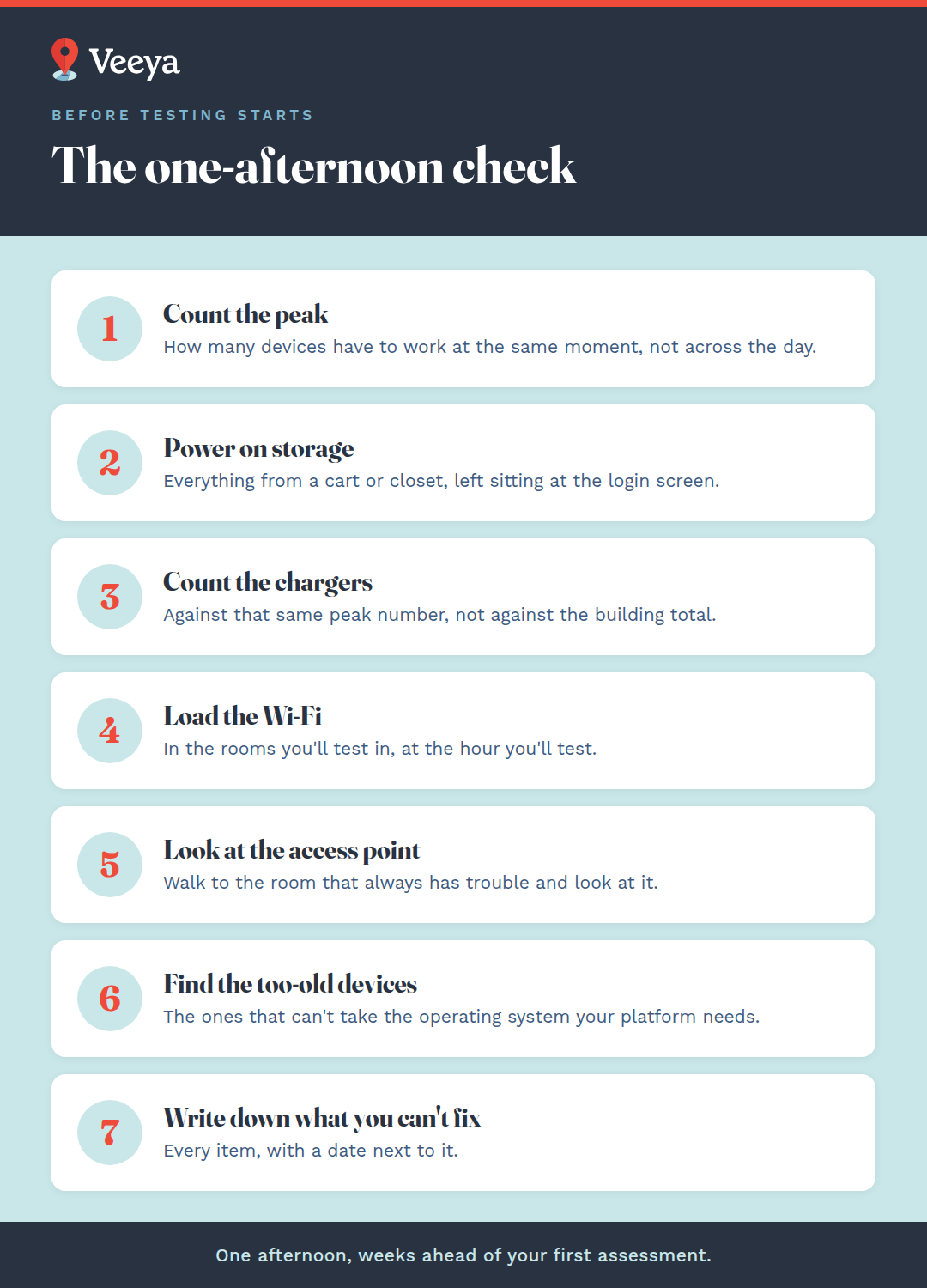
The one-afternoon check
- Count how many devices have to work simultaneously, at the peak moment of your busiest session.
- Power on every device that spent the summer in a cart or a closet and leave it sitting at the login screen.
- Count working chargers against that same number.
- Put a real load on the Wi-Fi in the rooms you'll actually test in, at the time of day you'll test.
- Walk to the access point in the room that always has trouble and look at it.
- Find the devices too old to take the operating system your state's testing platform requires.
- Write down everything you can't fix yourself, and put a date next to each one.
How many devices have to work at the same moment
Count the students in your single largest simultaneous session, then add spares on top. A campus that comfortably serves 400 students across six periods becomes a different campus when 120 of them start at 8:05 on the same morning, and 120 plus spares is the number the morning actually runs on.
Work through it per room and per session. Building totals hide the peak, which is the only figure that decides whether the morning goes smoothly. Spares are what turn a dead device into a two-minute swap, so put a real number on them instead of assuming the closet has a few.
Cart-based deployment tightens all of this. CoSN's 2026 report quotes a district that is considering moving grades 6-12 from one-to-one back to carts under budget pressure. Every handout and every login then has to land inside a narrower window, so build the cart distribution time into your session plan and walk it once before the real morning.
Power on everything that's been in storage
Ten minutes at the login screen is what it takes for a stored device to show you what's wrong with it. Turn on everything that spent the summer in a cart or a closet, leave it sitting there, and come back. A device that sat unpowered since May can return with a battery that won't hold or a pending operating system update that wants twenty minutes of your morning.
Management profiles are the other one. A device that's been off long enough sometimes has to re-enroll before it will take a policy, and that isn't something you want to discover at 8:05. Nothing on that list is dramatic. It's just slow, and slow is invisible from outside a cart, which is why walking past a closet tells you nothing.
The replacement math is worth knowing before you start. It changes what you do with what you find. According to CoSN's 2026 data, only 46% of districts replace standard student laptops within four years, and only 37% replace tablets that fast. Another 38% expect device funding to go down, which CoSN expects to stretch those cycles further. Translation: the fleet you're looking at is probably older than the four-year standard, and the fix for a dead unit is likely a purchase with a lead time attached.
Load the Wi-Fi the way testing will load it
Wireless has to be tested under load, in the room where testing will actually happen, at the hour it will happen. Borrow every device you can get your hands on for an hour and have them all authenticate at once. A network sized for staggered daily use behaves like a different network when it's asked to carry an entire grade level inside the same five minutes.
This has already happened at state scale, twice this year. On April 21, 2026, Pennsylvania's online testing platform went down as grade 3-8 students across the state logged in for the PSSA, and the state apologized publicly. Eight days later, on April 29, 2026, New York schools hit login failures on the platform used for grades 3-8 math; the state authorized schools to pause and reschedule, then extended that window into mid-May.
Both of those failed on the vendor's side of the line, which is the half of the path you have no control over. Testing your own half is what lets you tell the difference on the morning, and telling the difference inside the first ten minutes is worth a lot when a room of students is waiting on you.
Check the parts of testing day you don't own
Write the fallback down, on paper, before you need it. On October 20, 2025, an AWS outage took the rostering platforms Clever and ClassLink offline. The online assessment tool Formative went down in the same outage, and PSAT access was affected the next day. Schools ran paper lesson plans and weighed whether to reschedule.
Some of what testing day depends on sits outside your building entirely, and a single page of instructions is the only part of it you control. Fifteen minutes spent on what you'd do if your rostering tool and your single sign-on both went dark at 8:00 a.m. is the cheapest item in this whole post.
What to do with no district IT to borrow from
Earlier, and in writing. A charter campus or a small operator usually has no district warehouse with a spare cart, no second network engineer on call, and no bench to pull from when the one person who knows the wireless is out sick that week.
Everything in this post gets more valuable the smaller your team is, for one arithmetic reason. Borrowed hands are what absorb a late discovery, and a one-to-three-person team has none to borrow. Finding the problem in August is the closest thing to borrowed hands available to you.
Make the list of what you can't fix alone and put a real date next to each item. Then send it to whoever signs purchase orders, before that person's calendar fills up.
Why does testing break networks that work fine all year?
Because testing is the only day on the calendar with no stagger in it. Bells stagger the other 179 days for you. Students arrive in waves and log in in waves, and your wireless has never been asked to do anything else.
Testing removes the stagger completely. A whole grade level authenticates against one platform inside a five-minute window, which is a load profile your network has literally never run, and the first time it runs it, the stakes are at their highest.
So test it on purpose and in advance, with a room full of devices and a stopwatch. Finding the ceiling live is the expensive way to learn where it is.
How long should this check actually take?
The check itself fits in one afternoon on a single campus. Everything it turns up runs on its own clock, and that clock is the one to plan around. Powering on stored devices, then loading the wireless in your testing rooms, is a half-day of walking around with a notepad.
Config changes land inside the same week. Anything that needs a purchase order or a cabling run sits on a lead time you don't set, and that's the category to get in front of a decision maker first.
How Veeya helps schools check devices and networks before testing
Veeya does this walk for schools, and then takes the half of the list you can't get to. We're co-managed IT for K-12 and public charter schools, which means the person who knows your building stays the person who knows your building, and we're the extra pair of hands for the weeks when one pair isn't enough.
We've spent over a decade inside school buildings, and we're trusted to connect 30,000+ students, teachers, and faculty. A bell schedule does specific things to a maintenance window, and we know what they are. We also know that "we'll look at it in the spring" usually means the money isn't there yet, which is a better conversation to have in August while it's still a plan.
Frequently asked questions
When should a school run a technology check before placement testing?
Four to six weeks before your first assessment window is the latest it's worth doing. That's the shortest runway that still allows for a purchase, and anything you find that needs ordering or a vendor visit carries a lead time a check run the week before can't absorb. If you're already inside four weeks, run it today anyway and start with the items you can fix yourself.
How many devices does a school need for placement testing?
A school needs one working device for every student testing in its largest simultaneous session, plus spares on top of that number. Counting by day or by building understates it, since testing concentrates device use into narrow simultaneous sessions. The spare count is what determines whether a dead device costs two minutes or stops a session.
What should we check on devices that were stored over the summer?
Stored devices need ten minutes powered on at the login screen, which is long enough for a failing battery or a pending operating system update to surface. Devices that have been off since May sometimes also need to re-enroll in your management platform before they'll take a policy, and none of that is visible from outside the cart. Count chargers as a separate number, since a working device with no working charger isn't available for a two-hour session.
How do we test school Wi-Fi for online testing?
Gather every device you can into the actual testing room, at the actual time of day, and have them all authenticate and load at once. A network sized for staggered daily traffic behaves differently under whole-grade concurrent load, and the room-by-room result is the one that matters. Note which rooms are weakest, then either fix the coverage or move the session.
What if we find a problem we can't fix in time?
Write it down with a date on it and escalate it the same day to whoever signs purchase orders. A problem documented in August with a lead time attached is something a budget can still answer. Schools without a district IT department should escalate earlier than the generic advice suggests, since there's no spare capacity to absorb a late find.
Do small schools without a district IT department need a different approach?
Yes, mainly in timing and in escalation. A one-to-three-person team has no spare capacity to absorb a late discovery, so the same check is worth more to you the earlier you run it. Get the unfixable items in front of a decision maker while the calendar is still open.